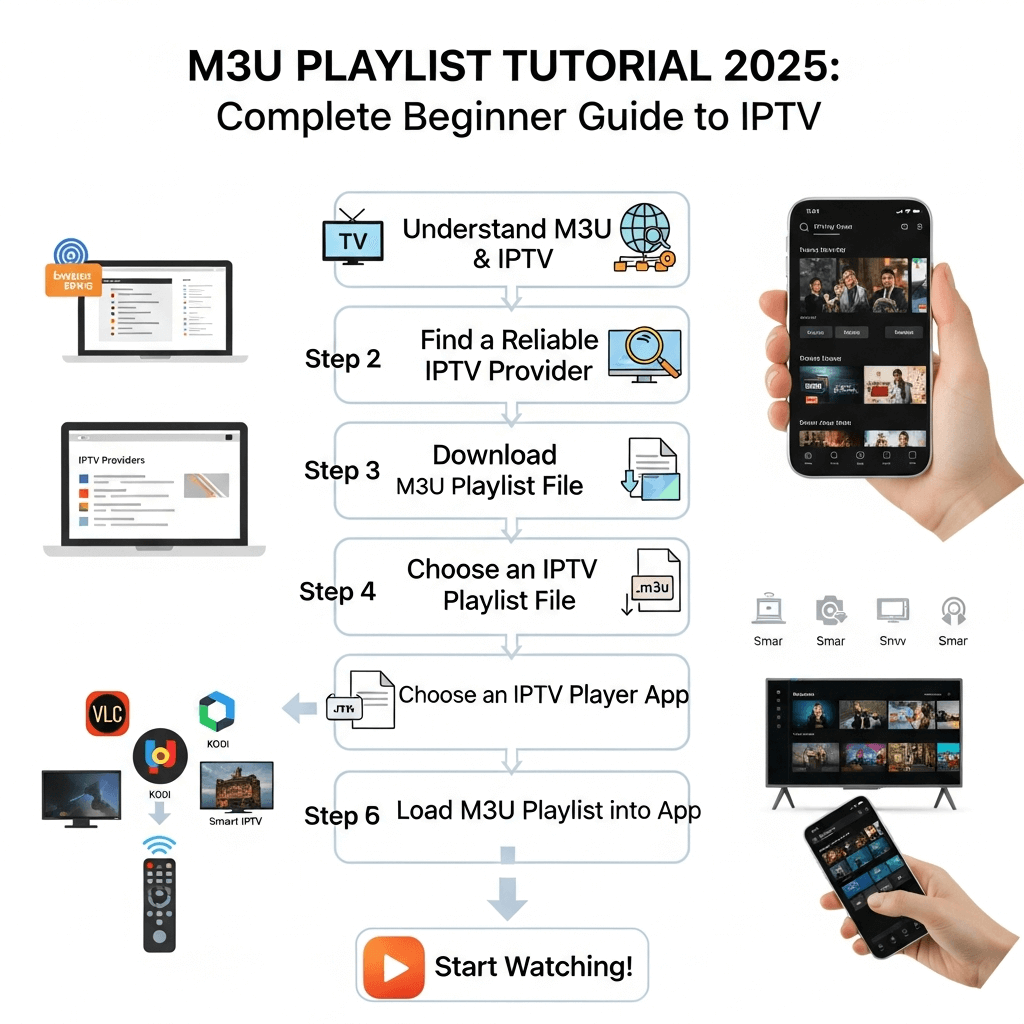
M3U Playlist Tutorial 2025: The Complete Beginner Guide to IPTV
Master the file format that powers modern streaming. From understanding #EXTINF tags to loading playlists on Firestick and Smart TVs, this is the only guide you'll ever need.
What is an M3U Playlist?
If you have recently decided to cut the cord, you have likely encountered the term M3U. It stands for "MP3 URL," a file format originally designed for audio playlists but now the industry standard for IPTV (Internet Protocol Television).
Think of an M3U playlist as a digital menu. It doesn't contain the video files itself; rather, it contains a list of "addresses" (URLs) that tell your video player exactly where to find the live TV channels, movies, and series on the internet.
In 2025, understanding how M3U files work gives you total control over your entertainment. You aren't locked into a specific proprietary box; you can take your playlist to any device?€”PC, phone, Firestick, or Smart TV?€”and stream instantly.
The Anatomy of an M3U File: Breaking Down the Code
For most users, an M3U link is just a long URL they copy and paste. But if you want to be an IPTV power user, you need to understand what's inside. This allows you to edit your lists, organize channels, and troubleshoot issues like a pro.
#EXTM3U
#EXTINF:-1 tvg-id="CNN.us" tvg-logo="http://logos.com/cnn.png" group-title="News",CNN HD
http://server.storuno.shop:8080/user/pass/1234.ts
#EXTINF:-1 tvg-id="HBO.us" tvg-logo="http://logos.com/hbo.png" group-title="Movies",HBO Cinema
http://server.storuno.shop:8080/user/pass/5678.ts
#EXTM3U
This is the mandatory header. It tells the player "This is an M3U playlist." Without this first line, many players won't recognize the file.
#EXTINF:-1
This tag contains the metadata. The "-1" indicates a live stream (unknown duration). This line contains the channel name, logo link, and Electronic Program Guide (EPG) ID.
Attributes (tvg-id, group-title)
tvg-id: Links the channel to the EPG so you can see what's playing.
group-title: Organizes channels into folders (e.g., Sports, Movies, News).
The Stream URL
The actual link to the video server. It usually ends in .ts (MPEG Transport Stream) or .m3u8 (HLS Stream). This is what you pay for when you subscribe to Storuno.
M3U URL vs. Xtream Codes API
When you receive your login details from us, you might see two formats.
- M3U URL: One long link. Good for simple players like VLC or simple Smart TV apps.
- Xtream Codes: Broken down into Server URL, Username, and Password. Preferred for advanced apps like IPTV Smarters Pro or Tivimate because it loads faster and handles EPG better.
Pro Tip: Both formats access the exact same content. An Xtream Codes login is essentially just a user-friendly way to generate the M3U link in the background.
How to Load Your M3U Playlist
Firestick & Android TV
The most popular method using the Downloader app.
- Install the Downloader app from the Amazon App Store.
- Enter the code for IPTV Smarters Pro (or your preferred player).
- Open the app and select "Load Your Playlist or File/URL".
- Enter a name (e.g., Storuno) and paste your M3U link.
- Click "Add User" and wait for channels to download.
PC & Mac (VLC Player)
Great for testing your link or watching at work.
- Download and install VLC Media Player.
- Click "Media" (top left) > "Open Network Stream".
- Paste your M3U URL into the network URL box.
- Click "Play".
- Press
Ctrl+Lto view the playlist sidebar and switch channels.
Samsung & LG Smart TVs
Using apps like Smart IPTV, Nanomid, or Set IPTV.
- Download an IPTV app from your TV's content store.
- Open the app to find your TV's MAC Address.
- Go to the app developer's website on your phone/PC.
- Enter your MAC address and paste your M3U URL.
- Restart the app on your TV to load the list.
iOS & Android Mobile
Watch on the go with GSE Smart IPTV or Smarters.
- Download IPTV Smarters Pro or GSE Smart IPTV.
- Select "Load Playlist from URL".
- Paste your M3U link.
- Tap update to refresh the channel list.
Editing and Optimizing Your M3U Playlist
A common issue with premium services like Storuno is that we offer too many channels. With 15,000+ options, scrolling can be tedious. Here is how to clean up your M3U file.
The Manual Method (Notepad++)
1. Download your M3U URL as a file (paste the URL in a browser and it will download a .m3u file).
2. Open the file with a text editor like Notepad++.
3. Use the "Search" function to find groups you don't want (e.g., specific countries or categories).
4. Delete the #EXTINF line and the URL line below it for unwanted channels.
5. Save the file and upload this shorter version to your device.
Warning: M3U files from Storuno are dynamic. If you download a static file, it won't automatically update when we add new channels or change server ports. We recommend using the "Hide Group" features inside apps like Tivimate or Smarters instead of editing the raw file.
Troubleshooting: When the M3U Fails
Problem 1: "Playlist Failed to Load"
This is the most common error beginners face.
Likely Causes:
- Typo in the URL: M3U links are case-sensitive. Capital letters matter!
- ISP Blocking: Your internet provider might be blocking the DNS. Try using a VPN or changing your device's DNS to Google (8.8.8.8).
- Expired Subscription: Check if your plan has ended. Renew here.
Problem 2: Buffering or Looping
The video plays for 5 seconds, stops, and repeats.
Likely Causes:
- Weak Internet: 4K streams need 25Mbps+. Use an Ethernet cable.
- Player Buffer Size: In VLC or Tivimate, increase the buffer size in settings.
- Stream Format: Try changing the stream format from MPEGTS to HLS in your player settings.
Problem 3: EPG/Guide is Empty
You see the channels, but "No Program Information".
Likely Causes:
- Separate EPG URL: Some players require you to paste the EPG URL separately from the M3U playlist. Check your confirmation email for the EPG link.
- Update Required: Go to settings and click "Refresh EPG". It can take a few minutes to download.
Why Choose a Premium M3U from Storuno?
Not all M3U lists are created equal. Free lists found online are often unstable, laggy, and filled with dead links.
Smart 4K Tech
Our M3U playlists automatically adjust bitrate to prevent freezing. Learn about Smart 4K here.
Daily Updates
We update our servers daily. Your playlist grows automatically without you needing to edit files.
Organized Categories
We meticulously tag our channels with correct group-title attributes so your player sorts them perfectly.
Final Thoughts
M3U playlists are the key to unlocking a world of entertainment without the restrictions of cable or "walled garden" apps. While the technical look of an M3U file might seem intimidating at first, modern apps handle the heavy lifting for you.
By following this tutorial, you are now equipped to set up, troubleshoot, and optimize your viewing experience. Whether you use VLC, a Firestick, or a Smart TV, the power is in your hands.
Ready to test your knowledge? Grab a subscription from Storuno and start streaming in minutes.