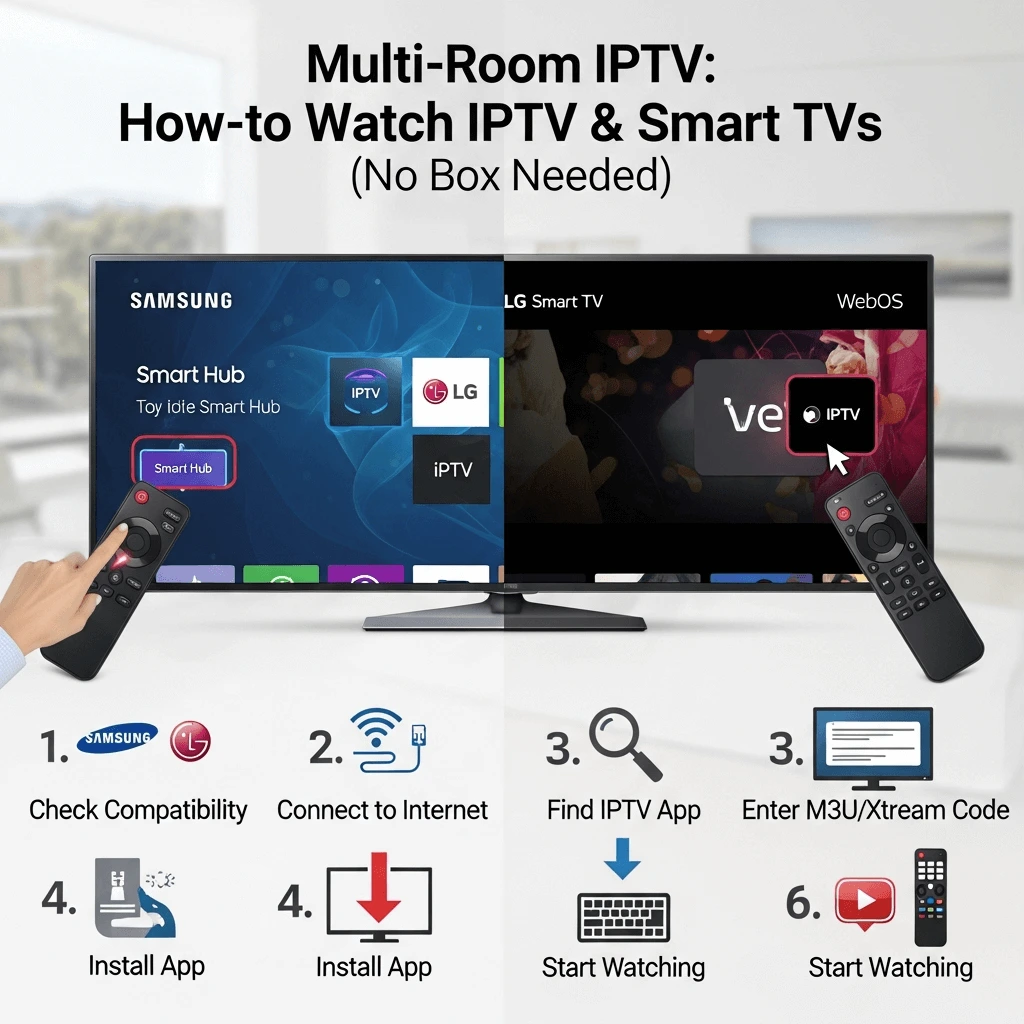
How to Watch IPTV on Samsung & LG Smart TVs (No Box Needed)
Ditch the wires and the extra remotes. Learn how to install IBO Player, manage playlists, and calibrate your 4K TV for the ultimate "app-only" IPTV experience.
The Clean Setup: Why Use Your TV's OS?
For many home theater enthusiasts, the "Holy Grail" of setups is a television with nothing connected to it. No hanging wires, no HDMI dongles, and no second remote control to lose in the couch cushions. In 2025, Samsung (Tizen OS) and LG (WebOS) Smart TVs have become powerful enough to process live IPTV streams directly, making external boxes like the Firestick optional for many users.
However, setting up IPTV on these proprietary operating systems is different from Android. You can't just download an APK file. You must navigate the specific "Walled Garden" app stores of Samsung and LG.
In this comprehensive guide, we will show you exactly how to install the best players available for Smart TVs, how to connect your Storuno Premium Subscription, and importantly, how to calibrate your TV settings to prevent the "Soap Opera Effect" on live sports.
Understanding Your TV's Limitations
Samsung (Tizen) & LG (WebOS)
These are "closed" systems. You typically cannot install third-party apps unless they are officially approved in the Samsung/LG Content Store.
- ?ϥ Cannot install TiviMate (Android only)
- ?ϥ Cannot sideload APKs easily
- ?œ“ Excellent picture upscaling
- ?œ“ Single remote convenience
The "Playlist Upload" Method
Unlike Android apps where you type your username/password directly into the TV, Smart TV apps usually work via a Web Portal.
- Install the App (e.g., IBO Player).
- Get the "Device MAC Address" displayed on the TV screen.
- Go to the app developer's website on your computer.
- Upload your Storuno M3U URL to that MAC address.
- Restart the TV app to load channels.
Top 3 Recommended Apps for Smart TVs
Since TiviMate is not available, these are the best alternatives that run natively on your TV.
1. IBO Player Pro
Currently the most stable and feature-rich app for 2025. It handles high-bitrate 4K streams well and has a modern interface that resembles Netflix.
2. Smart STB
Designed to look exactly like a traditional cable box or MAG box. Great for older users who don't like "modern" app interfaces. It uses a virtual MAC address system.
3. IPTV Smarters Player (Lite)
While the "Pro" version is rare on TV stores, the "Lite" or "Player" version often appears. It allows you to login via Xtream Codes API (User/Pass) which is easier than uploading playlists.
Read more: Guide to Smarters Pro Features.
Installation Guide (IBO Player Example)
Step A: On Your TV
- Open App Store: Press the Home button. Go to "Apps" (Samsung) or "Content Store" (LG).
- Search: Type "IBO Player" or "Bob Player" (a good alternative).
-
Install & Open: Download the app. When you open it, you will see a screen showing:
Device ID (MAC): aa:bb:cc:11:22:33
Device Key: 123456 - Keep Screen Open: Write these numbers down.
Step B: On Your Phone/PC
- Go to Portal: Open the website listed on your TV screen (e.g., iboplayer.com/device/login).
- Login: Enter the Device ID and Key from your TV.
-
Add Playlist: Click "Add Playlist" (or Add M3U).
Name: Storuno TV
Playlist URL: [Paste the M3U Link sent in your Storuno Welcome Email]. - Save & Reload: Click Save. Go back to your TV and press "Reload" (usually the Red button on remote).
Don't have an M3U link? Contact Storuno Support to request your M3U list details.
Optimizing Picture Quality
Samsung and LG TVs come with aggressive "Post-Processing" enabled by default. This makes movies look like soap operas and makes the hockey puck disappear during fast motion. For the best IPTV experience, you must change these settings.
For Sports (Anti-Blur)
- Motion Smoothing: Turn OFF (or set to Min).
- Noise Reduction: Turn OFF. (IPTV streams are already compressed; adding noise reduction causes smearing).
- Sharpness: Set to 0 or 10%.
For Movies (Cinema Look)
- Picture Mode: Use "Filmmaker Mode" or "Movie".
- Color Tone: Set to "Warm 2".
- Gamma: 2.2 or BT.1886.
Want to learn more about 4K streaming technology? Read What is IPTV Smart4K?
The "Weak WiFi" Problem
Ironically, expensive Smart TVs often have cheaper WiFi network cards than a $40 Firestick. They are often placed flat against a wall, which blocks signal.
If you experience buffering on your Samsung or LG TV, do not blame the IPTV provider immediately. It is likely the TV's network card struggling to maintain a constant connection.
Always use an Ethernet (LAN) cable for Smart TV IPTV. If you must use WiFi, ensure you are on the 5GHz band and your router is in the same room.
Buffering Checklist:
- Connect Ethernet Cable
- Turn off "Background App Refresh" on TV
- Clear App Cache (Long press power button to cold boot)
- Check our Advanced Buffering Guide
When Should You Give Up and Buy a Firestick?
While this guide focuses on "No Box" setups, honesty is important. You should consider buying an external device (Amazon Firestick 4K Max or NVIDIA Shield) if:
If your TV was made before 2019, the processor is likely too slow for modern IPTV apps, causing menu lag.
Smart TV apps rarely support good DVR/Recording. TiviMate (on Firestick) is the king of recording.
Installing VPNs on Tizen/WebOS is difficult or impossible. Firesticks handle VPNs easily.
Frequently Asked Questions
Is TiviMate available for Samsung TV?
No. TiviMate is exclusively an Android application. It will not work on Samsung (Tizen) or LG (WebOS). The closest alternative in terms of look and feel is IBO Player.
Can I subtitle movies on Smart TV apps?
Yes, most apps like IBO Player and Smart STB allow you to toggle subtitles. However, font customization is usually limited compared to Android boxes.
Why did my playlist disappear?
Smart TV apps often reset their MAC address if the TV software updates or if the internet connection type changes (WiFi to Ethernet). You may need to re-upload your playlist on the portal.
Enjoy the Cable-Free Experience
Your Smart TV is capable of amazing things. With the right app and a premium Storuno subscription, you can unlock 20,000+ channels directly from your TV screen.
Are you a reseller? Learn how to set up Smart TV panels for your clients on our Reseller Page.