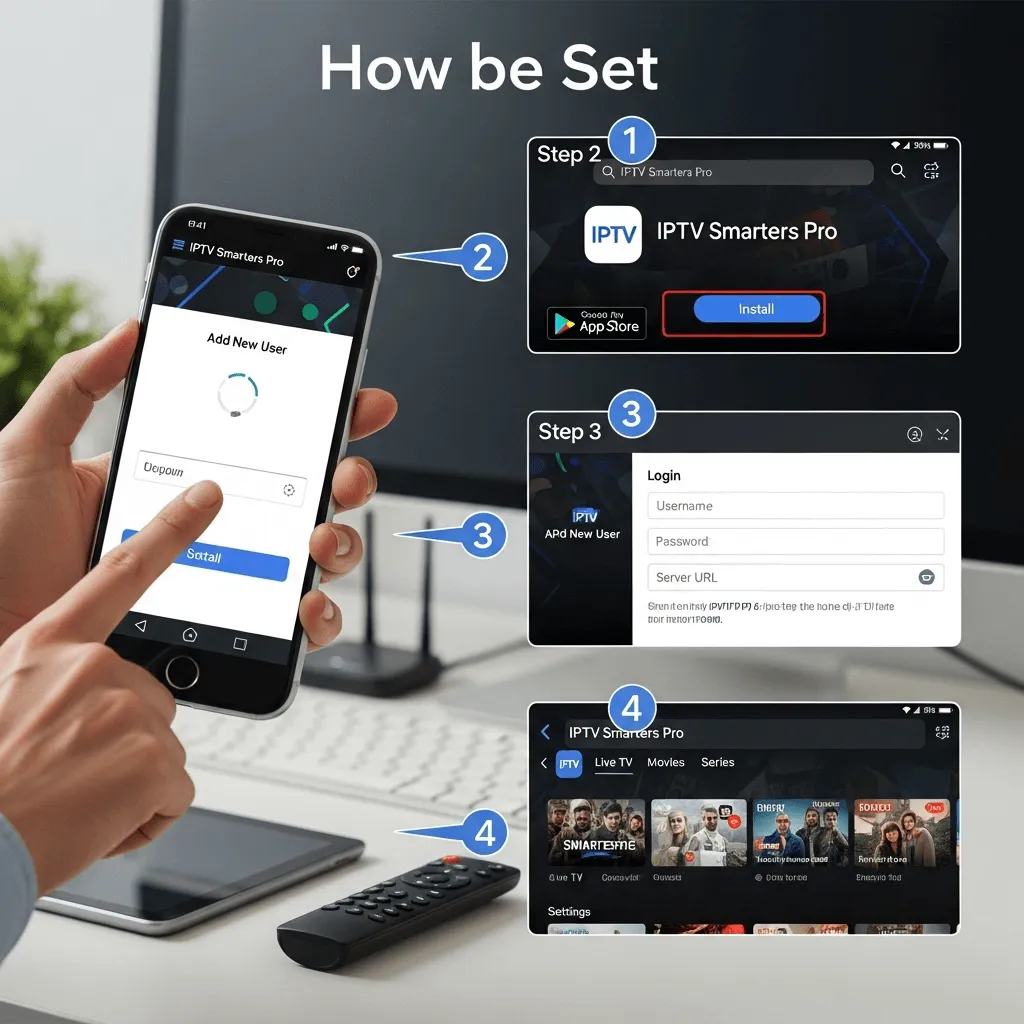
How to Set Up IPTV Smarters Pro for Seamless Streaming
The ultimate step-by-step guide to installing, configuring, and optimizing the world's most popular IPTV player on Android, iOS, Firestick, and more.
Why IPTV Smarters Pro?
**IPTV Smarters Pro** is the gold standard for streaming. It supports live TV, movies, and on-demand content with a sleek interface. Whether you are using a Firestick, Android TV, or an iPhone, this app offers native support for the Xtream Codes API—the most stable method for loading your Storuno IPTV playlist.
Installation on Major Platforms
The installation process varies by device. Select your platform below:
Android (Phones & TV Boxes)
- Open Google Play Store.
- Search for "IPTV Smarters Pro" or "Smarters Player Lite".
- Click Install.
iOS (iPhone & iPad)
- Open the App Store.
- Search for "IPTV Smarters Pro".
- Tap Get to download.
Using an Amazon Firestick?
Firesticks require a special "Sideloading" process via the Downloader App. Click here for the full Firestick 2025 Guide.
Logging In (Xtream Codes API)
Once installed, select "Login with Xtream Codes API". This is the most stable method and enables the Electronic Program Guide (EPG).
Enter Your Details
Ensure the URL includes "http://" exactly as shown.
Optimization & Troubleshooting
🚀 Enable Hardware Acceleration
Go to Settings > Player Settings > Hardware Decoding. Enable this for smoother playback, especially for 4K content on Firesticks and Android boxes.
🧹 Clear Cache Weekly
Prevent buffering by clearing the app cache regularly (Settings > General > Clear Cache). This frees up RAM on your device.
📡 25+ Mbps Speed
For 4K content, you need at least 25 Mbps stable download speed. If possible, use an Ethernet cable instead of Wi-Fi for zero packet loss.
🛡️ Parental Controls
Protect your family by enabling Parental Controls in settings. You can lock specific categories (like Adult) with a PIN.
Advanced Features
-
★
Favorites List: Don't scroll through 10,000 channels. Long-press on a channel (e.g., ESPN) and select "Add to Favorites" for quick access.
-
↺
Catch-Up TV: Missed the game? Look for the channel with a "Replay" icon. Open the EPG and scroll left to watch programs from the last 7 days.
-
📺
Multi-Screen: Watch up to 4 channels simultaneously. Perfect for sports days when multiple games are live at once.
For a deep dive into these features, read our Comprehensive Guide to IPTV Smarters Features.